0 Wi-Fi
No network needed
The video stream goes through a USB tunnel between the PC and the headset. Your internet connection doesn't matter.


PC VR · Meta Quest · USB cable
Play your PC VR games on your Quest over a USB cable, without the Meta app. A great alternative if you don't have a good connection.
Why a cable
Wireless streaming depends on your network. With LunaQuest, the image goes straight through the USB cable: no overloaded router, no drops when someone starts a video in the next room.
The video stream goes through a USB tunnel between the PC and the headset. Your internet connection doesn't matter.
LunaQuest opens the tunnel, starts SteamVR and the LunaQuest app in the headset for you.
A light, smooth window instead of the Meta PC app.
Features
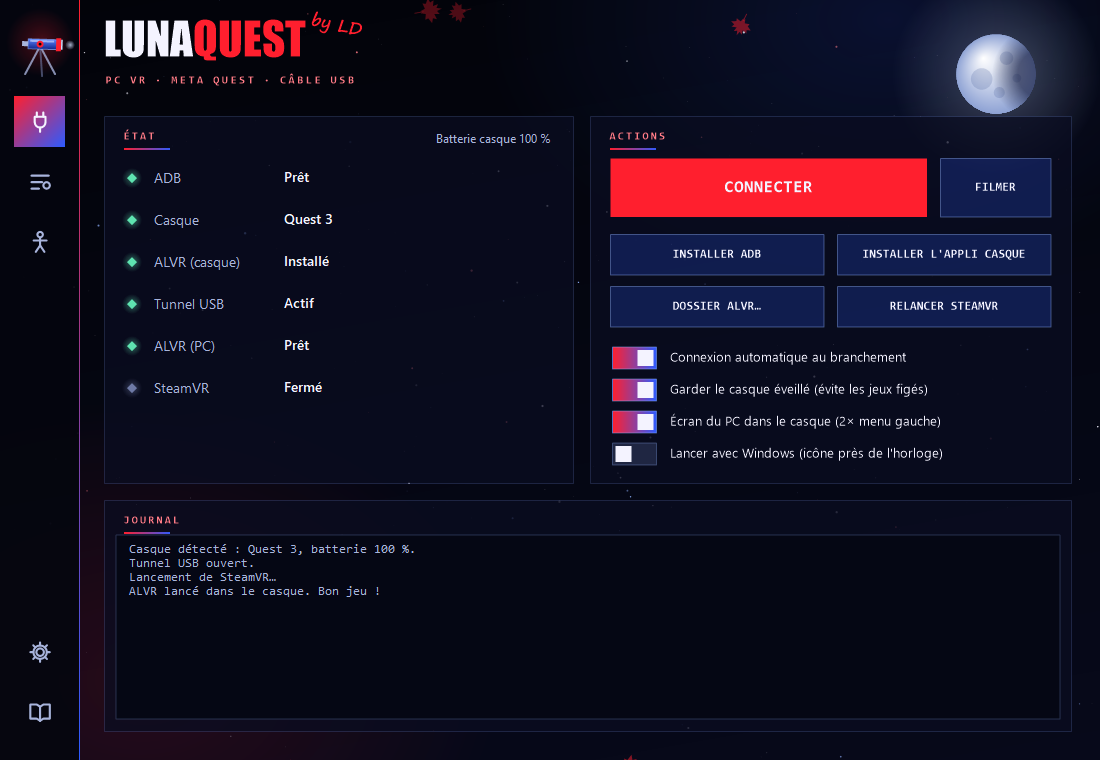
The automatic connection starts as soon as the headset is plugged in. Nothing left to click.
Frame rate, video bitrate, codec, sound, microphone: everything is set in LunaQuest, without opening ALVR.
The headset no longer goes to sleep when you put it down, which prevents games freezing at launch.
Headset, battery, USB tunnel, SteamVR: see at a glance what is ready and what is missing.
ADB and the LunaQuest headset app install from LunaQuest, with a built-in step-by-step guide.
Your SteamVR games start as usual: Beat Saber, VRChat and the rest.
New · 0.4.1
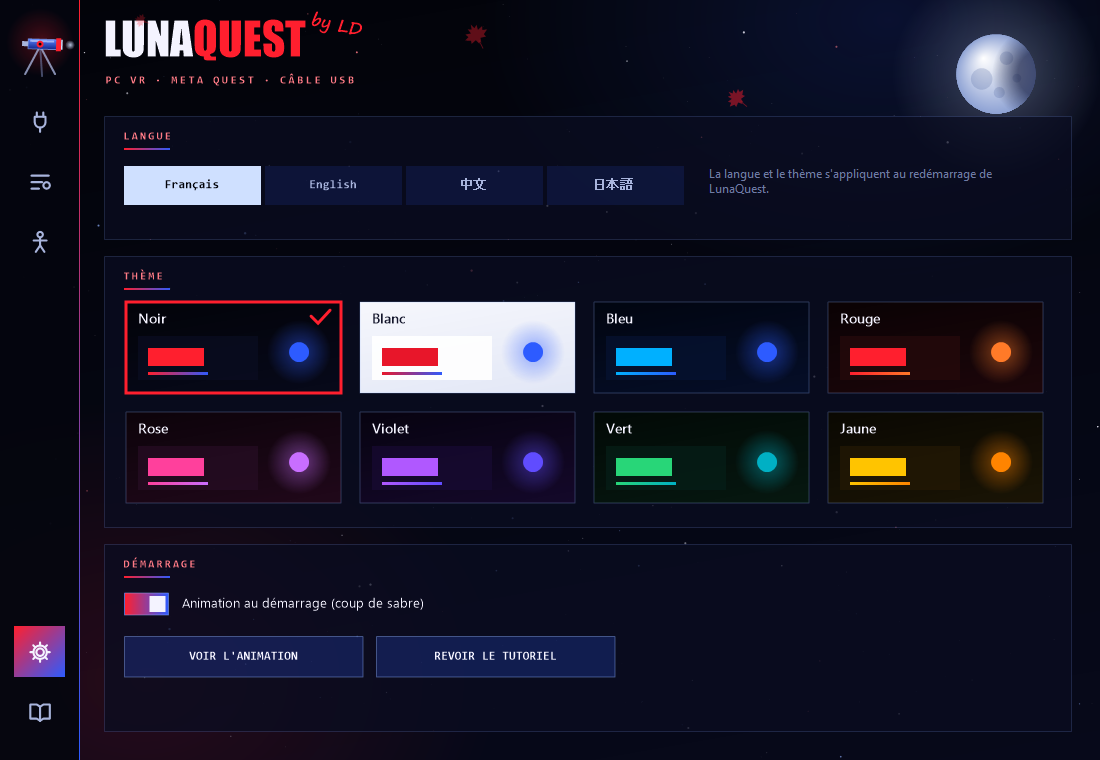
Four languages, eight themes, performance stats in the headset and a way to record your games. At startup, a saber slash opens the screen, then a short tutorial shows you each part of the app.
French, English, Chinese or Japanese. Black, white, blue, red, pink, purple, green or yellow theme.
Press both joysticks at the same time: frame rate, latency, bitrate and packet loss appear in front of you.
One button records the headset stream as a video, saved in your Videos folder.
Quest 3 / 3S, Pro or 2 controllers recognized automatically, with the standard hand gestures in VRChat and other games.
Full body
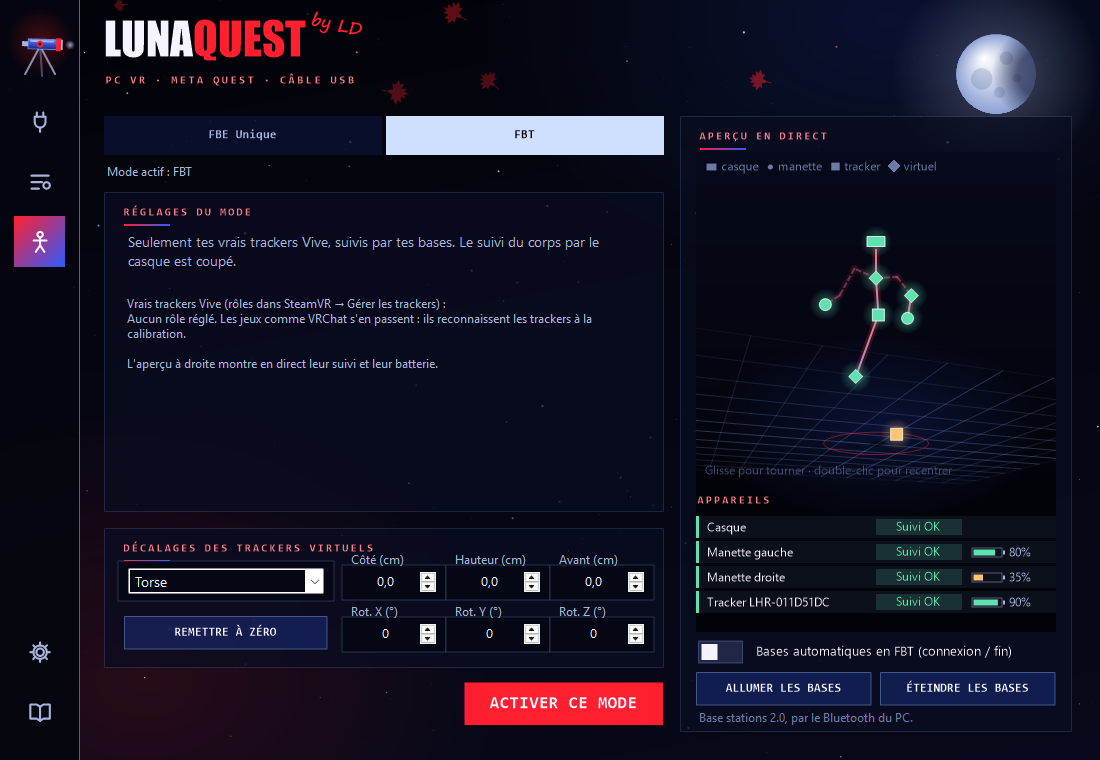
FBE (Full Body Estimation): LunaQuest creates virtual trackers for your body, or follows your real trackers. A live 3D preview shows each device, its tracking and its battery.
Your whole body estimated by the Quest cameras: chest, hips, elbows, knees and feet. No trackers to buy.
Only your real trackers (Vive, Tundra…) and your base stations, as usual, with the live preview and each tracker's battery.
Turn your 2.0 base stations on or put them to sleep through the PC's Bluetooth, even when not connected. In FBT, they can turn on by themselves when you connect and go to sleep at the end.
Preview
Connection: live headset status, the big Connect button, the PC screen in the headset and a log of what's happening.
The screenshots show the app in French; in the app, open Settings (gear icon) and pick English.
Performance
LunaQuest uses your graphics card's video encoder. A mid-range card is enough to play smoothly.
Smooth in game on a mid-range card.
Comfortable video bitrate over USB.
No dependence on your connection.
Measured with a Quest 3 and a GeForce RTX 3060 (12 GB), over a USB cable.
| System | Windows 10 or 11 |
| Graphics card | SteamVR compatible. An RTX 3060 already does the job very well. |
| Headset | Meta Quest 2, 3, 3S or Pro, in developer mode |
| Cable | USB-C, USB 3 recommended |
| Software | Steam and SteamVR (free). ALVR is included. |
LunaQuest works, but it's still being polished: your feedback helps improve it.
Comments
A bug, an idea, feedback on your games? Leave a comment. Downloading stays free: the account is only for commenting.
The comment section is coming very soon.
Create a free account to comment, with your username or anonymously.
No comments yet. Be the first!
Support
No. LunaQuest goes through ALVR and SteamVR. The Meta PC app isn't needed.
Yes, that's the whole point: the image goes through the USB cable, not your Wi-Fi. Steam only needs internet to start as usual.
Meta Quest 2, 3, 3S and Pro, with developer mode enabled (free, from the Meta Horizon phone app).
Leave “Keep the headset awake” on: a sleeping headset blocks the image. With modded Beat Saber, the BeatLeader mod can also freeze the game under SteamVR.
Lower the video bitrate in ALVR settings, for example to 60 Mbit/s, and use a USB 3 cable.
Open Settings (the gear icon at the bottom left), choose English, and let LunaQuest restart.